-
Feb 14, 2014, 9:15 am85.5k ptsInsanely Great Post
Post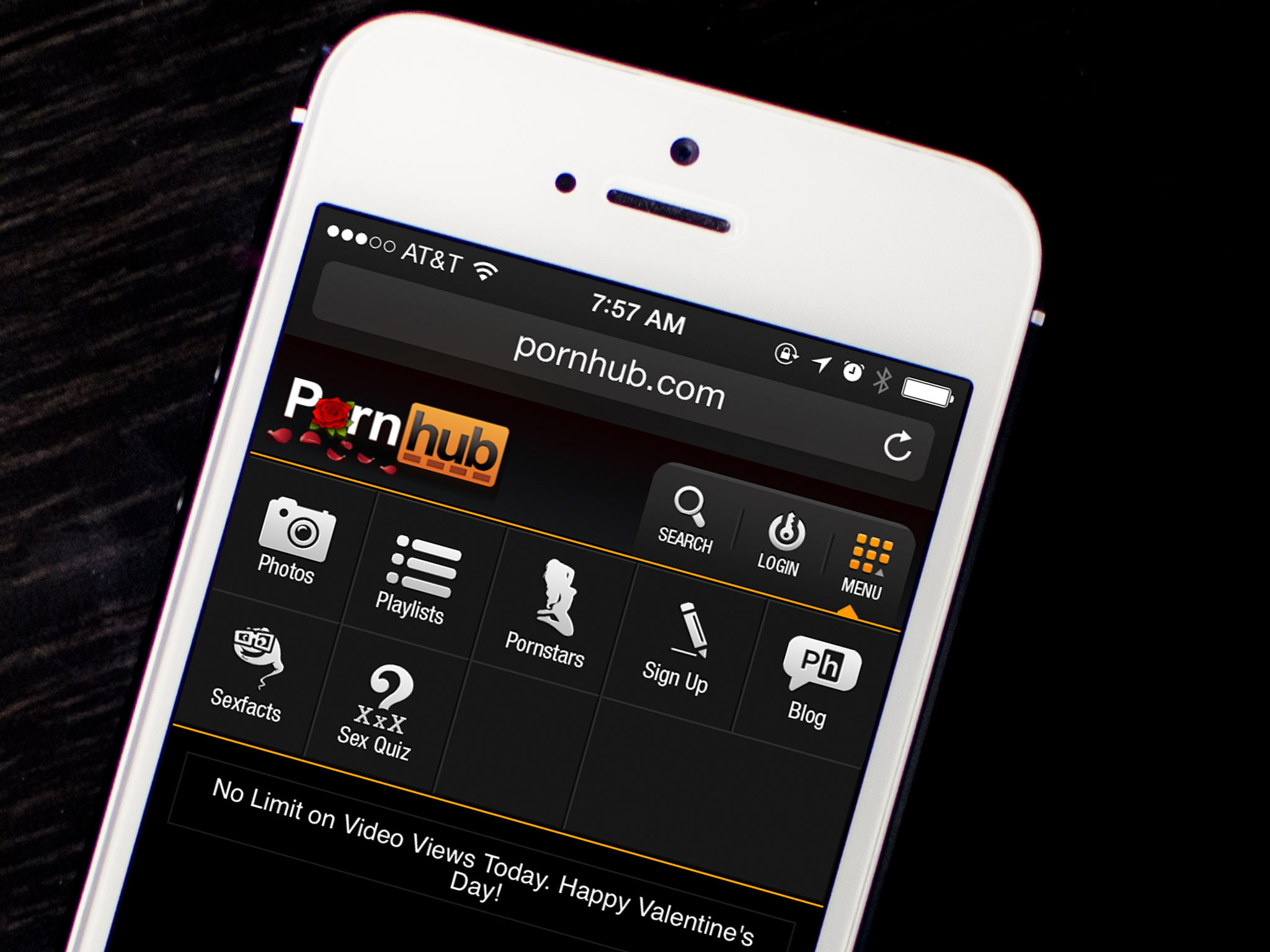
Even though there aren't any porn apps in the App Store, that doesn't mean there aren't ways to conveniently get porn on your iPhone, iPad, and Apple TV via other means. And in many cases you can even do so for free. So if you're interested, and hey we aren't here to judge, follow along!
Before we begin, I'll take a second to mention that you can enable private browsing on your iPhone or iPad so no one can see what you've been up to. It's a good idea if you're using an iPad or another device that other people have access to. If you aren't sure how to do so, you can follow our guide.
How to watch porn on your iPhone and iPad with mobile Safari
- Launch Safari on your iPhone or iPad.
- At this point, enable private browsing if you'd like to using the guide above.
- Type in the address bar iPhone porn or iPad porn and hit Go.
- You will immediately be bombarded with search results for all kinds of porn sites.
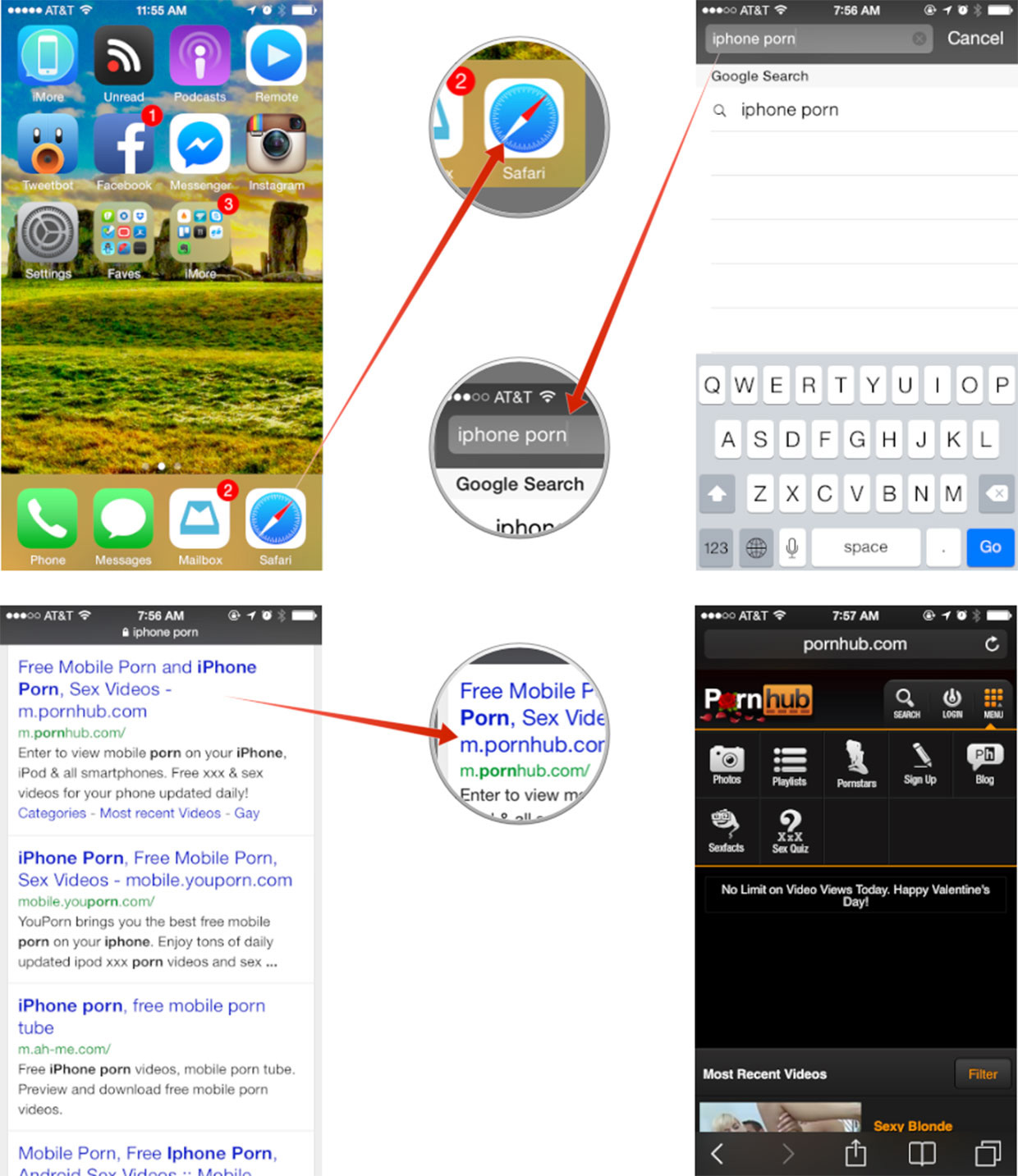
As for recommendations and picking one, it's really up to you but crowd favorites seem to be some of the sites listed below. And by all means, share your favorites in the comments as well!
- Pornhub
- YouPorn
- Xshare
- RedTube
Enhancing Privacy for Adult Content Viewing
To ensure a secure and discreet experience when accessing free adult content on your iPhone, utilize iOS’s built-in privacy features. Open Safari and tap the Tabs icon, then select Private to enter Private Browsing mode, which prevents history, cookies, and trackers from being saved. For added anonymity, install a trusted VPN from the App Store, Like Nord VPN and configure it in Settings > VPN to encrypt your connection and mask your IP address, especially on public Wi-Fi.
Enable Lockdown Mode under Settings > Privacy & Security to block potential malware from unverified sites. In Settings > Safari, turn on “Prevent Cross-Site Tracking” and install an ad-blocker like AdBlock from the App Store to reduce intrusive ads. For extra discretion, create a separate Focus mode (Settings > Focus) tailored for private browsing, silencing notifications and minimizing distractions during your sessions.
For a more robust privacy setup, dive deeper into iOS features to safeguard your adult content streaming. Clear cookies and cache regularly by going to Settings > Safari > Clear History and Website Data and selecting “All History” to erase traces of your activity. For maximum anonymity, download the Tor Browser app from the App Store to route your traffic through multiple servers, ideal for accessing region-locked content on platforms like RedTube.
How to stream porn from your iPhone or iPad to your Apple TV
- From your iPhone or iPad, follow the directions in the previous section and start playing the video of you're liking.
- Now tap on the AirPlay icon in the in the bottom right corner.
- In the popup menu, tap on the name of your Apple TV.
- That's all there is to it, your porn should now start streaming to the big screen.
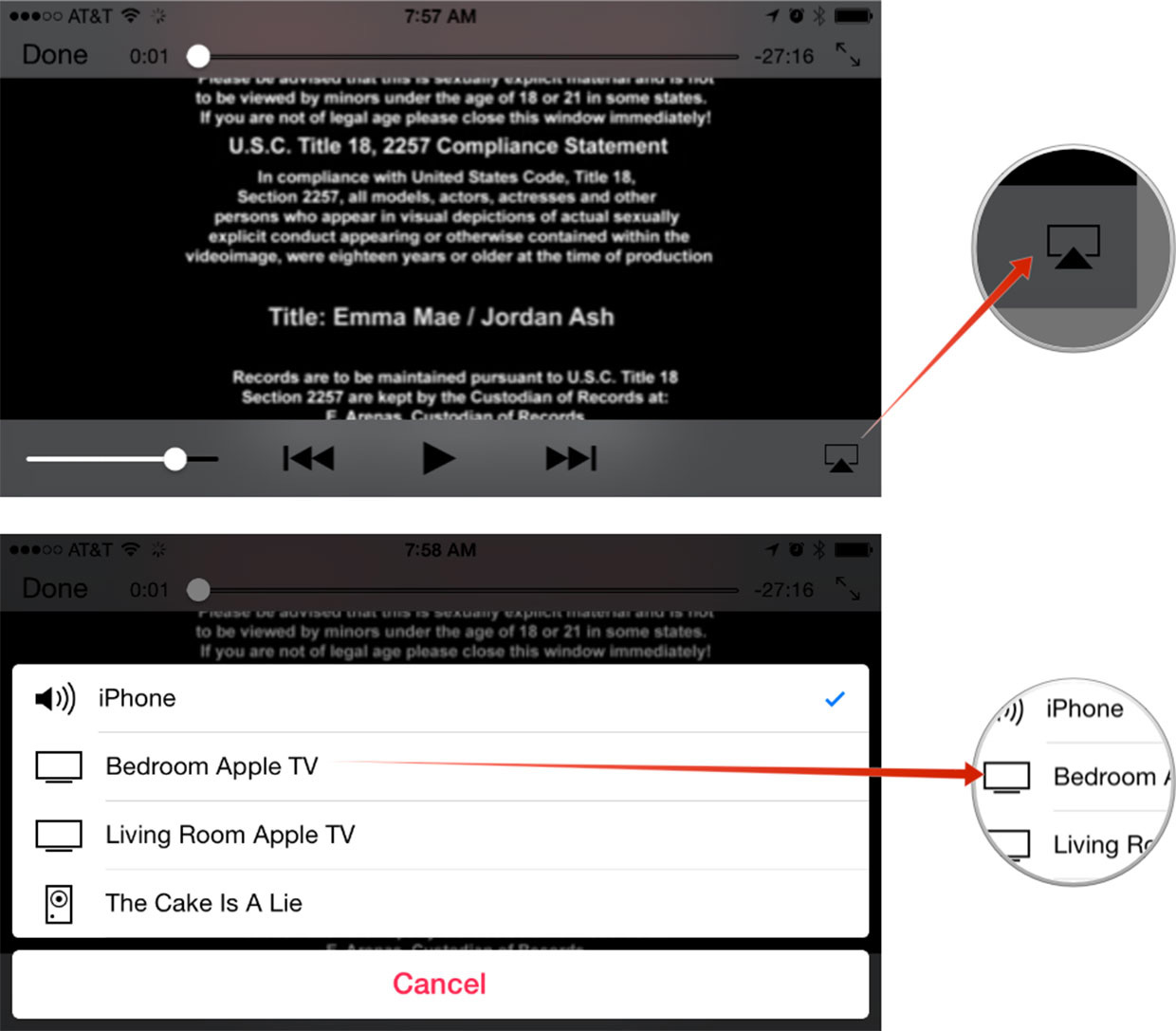
If you don't see your Apple TV when trying to AirPlay content, be sure your iPhone or iPad and your Apple TV are on the same wireless network.
How do you watch porn on your iPhone, iPad, or Apple TV?
Exploring adult content on your iPhone, iPad, or Apple TV can be a seamless and private experience with the right tools and techniques. By leveraging iOS privacy features, trusted VPNs, and optimized streaming apps, you can enjoy your preferred platforms with confidence and ease. Whether you stick to a favorite site or explore a variety of free content sources, prioritizing discretion ensures a worry-free experience across your Apple devices.









MacHash is your real-time Apple news aggregator, delivering the latest headlines on Apple, Mac, iPhone, iPad, and iOS from top sources across the web.
As a powerful content discovery platform, MacHash continuously curates breaking news, product announcements, software updates, reviews, and industry insights related to Apple Inc. and its ecosystem.
MacHash helps you stay informed on everything from macOS and iOS developments to Apple Watch, AirPods, and the latest in tech and app innovation.
Access MacHash from your desktop or mobile device to explore, follow, and share the most trusted Apple news all in one place.